AI VFX & Motion:
Crafting Visual Wonders with AI
This workshop offers a case study journey into the world of AI-enhanced VFX and motion graphics. Explore leading tools like ChatGPT, MidJourney, and Leonardo, along with a suite of third-party add-ons designed to automate and innovate. From animating images and characters to fixing flaws, you'll learn to harness AI for a myriad of purposes.
Dive into the AI-driven facets of rotoscoping, face swapping, hyper-slow motion, ultra-resolution, and generative content. Harness AI to craft lifelike images and animate effortlessly in After Effects. While computers are capable creators, true creativity still lies beyond their grasp. Artificial Intelligence (AI) can generate breathtaking visuals in moments, streamline post-production, and alleviate monotonous tasks. Yet, it lacks the intrinsic understanding and critical judgment of quality.
By the workshop's conclusion, you'll gain a nuanced understanding of AI's role in contemporary VFX and practical ways to integrate these advancements into your projects.
- Animate AI-generated images with finesse.
- Bring characters to life with movement and speech.
- Produce videos from images and text prompts.
- Transform 2D elements into immersive 3D scenes.
- Expedite rotoscoping, masking, and tedious post processes.
- Employ AI for tasks like blurring faces, depth creation, and enhancing resolution.
- 01 Crafting impactful VFX for digital signage
Generate images from text, explore AI-powered video tools, art-direct your own work in Photoshop and After Effects, and reimagine footage with video-to-video.
- 02 Breathing life into characters
Create an avatar for animation and a clean plate, explore automatic lip-sync options, and composite the results — or let AI handle the entire process.
- 03 Seamlessly blending 2D and 3D elements
Generate 3D models from text, build 3D environments from a single image, integrate 2D with 3D, and create popular VFX from a ready-made catalog.
- 04 Tackling everyday post-production challenges
Tackle everyday post tasks with AI — rotoscoping, super slow motion, ultra-resolution upscaling, blurring faces and number plates, depth tools, motion blur, and noise removal.
The course curriculum listed above is typically covered in class. The instructor may, at their discretion, adjust the lesson plan to meet the needs of the class.
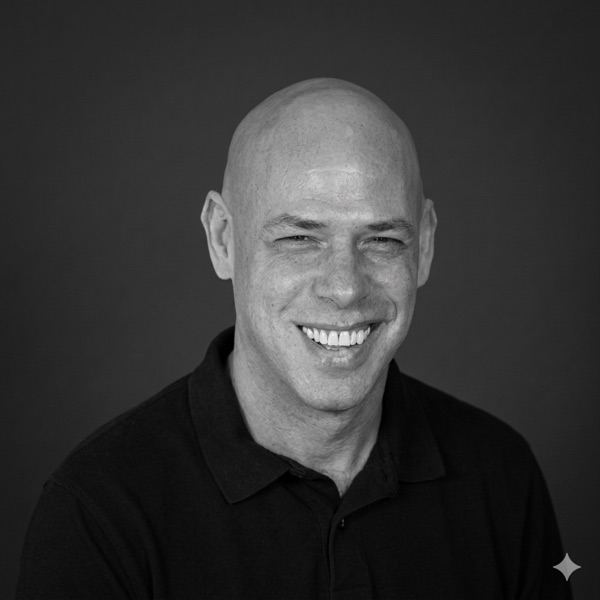
Motion design maestro, Adobe educator, and AI's favorite carbon-based lifeform. With over 20 years of experience taming the beasts of post-production, he's made it his mission to help designers create jaw-dropping visuals, without sacrificing their sanity or sleep schedule. His secret weapon? A knack for explaining the geeky stuff in a way that actually makes sense (and might even make you laugh).
- Motion Graphic Designers and Animators
- Visual Effects Artists
- Film and Video Editors
- Digital Media Students and Educators
- Digital Content Creators
- Advertising and Marketing Professionals
- Computer Hardware
- A modern computer (laptop or desktop) with 16GB RAM and an 8GB VRAM graphics card.
- Software
- Adobe Photoshop and After Effects, and specific AI tools (a list will be provided).
- Operating System
- A recent version of Windows (10 or later) or macOS (Catalina or later).
- Internet Connection
- A stable and high-speed internet connection for using cloud-based AI tools.
- Storage Space
- At least 20GB free for installing software and storing workshop materials.
- Software Skills
- Basic proficiency in standard VFX and motion graphics software.
- Miscellaneous
- Access to specific websites and platforms for downloading tools or resources — participants should be able to bypass potential access restrictions (e.g. firewalls).
Custom Training
Your tools. Your files. Your workflows.
Delivered online, on-site, or in a hybrid format, you'll receive professional development when and how you like.
Schedule a Consultation →