AI Design:
The Future of Image Creation
This workshop provides attendees with hands-on experience using AI-powered image creation tools, both free and premium. Explore leading tools like Adobe Express, Adobe Photoshop, Adobe Illustrator, Leonardo AI, Topaz Labs, HiggsField, and online resources, discovering how these tools enhance the design process, making it more efficient and innovative.
Attendees will learn to seamlessly integrate AI into their design workflow, from basic image enhancements to complex creative projects through interactive demonstrations and guided practice. Emphasis will be on understanding the unique capabilities of each tool and their contribution to exceptional design outcomes.
The workshop also covers crafting compelling text prompts and selecting the right image generator for specific project needs, along with practical strategies for choosing the best tools, whether seeking free solutions or considering premium options, all illustrated with real-world case studies.
- Make informed decisions between free and premium AI design tools based on project requirements.
- Understand and utilize various AI design tools including Adobe Suite, Leonardo AI, DALL·E, Topaz Labs, and Firefly.
- Integrate AI tools into design workflows for enhanced creativity and efficiency.
- Execute design tasks using AI, from simple edits to complex creative projects.
- Craft compelling AI-driven text prompts for image generation.
- Select the ideal AI image generator for specific project needs.
- Analyze and learn from real-world case studies where AI tools have been effectively applied.
- 01 Introduction to AI tools in image creation
An overview of today's free and premium AI image tools, and how to set up your environment for AI-assisted design.
- 02 Writing efficient and effective prompts
Master AI text prompts for image generation and work hands-on with Leonardo, Midjourney, DALL·E, and Firefly. Learn to choose the right tool for each project and create using our sample prompts.
- 03 Creating original content with generative AI
Run the same prompt across different engines, art-direct the results, and enhance detail and resolution through upscaling.
- 04 Enhancing design with AI-powered techniques
Use AI for image enhancement and editing, design with Adobe Express, and rapidly visualize ideas and build AI moodboards with Weavy and Adobe boards.
The course curriculum listed above is typically covered in class. The instructor may, at their discretion, adjust the lesson plan to meet the needs of the class.
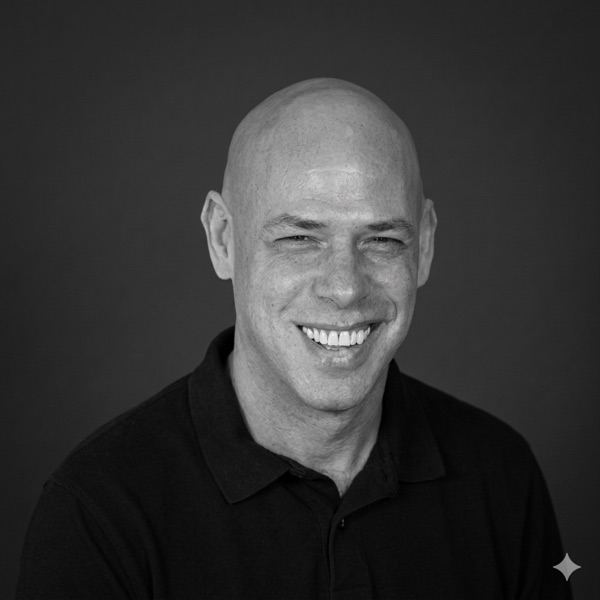
Motion design maestro, Adobe educator, and AI's favorite carbon-based lifeform. With over 20 years of experience taming the beasts of post-production, he's made it his mission to help designers create jaw-dropping visuals, without sacrificing their sanity or sleep schedule. His secret weapon? A knack for explaining the geeky stuff in a way that actually makes sense (and might even make you laugh).
- Designers and Animators
- Visual Effects Artists
- Film and Video Editors
- Digital Media Students and Educators
- Digital Content Creators
- Advertising and Marketing Professionals
- Computer Hardware
- A modern computer (laptop or desktop) with 16GB RAM and an 8GB VRAM graphics card.
- Software
- Adobe Photoshop and After Effects, and specific AI tools (a list will be provided).
- Operating System
- A recent version of Windows (10 or later) or macOS (Catalina or later).
- Internet Connection
- A stable and high-speed internet connection for using cloud-based AI tools.
- Storage Space
- At least 20GB free for installing software and storing workshop materials.
- Software Skills
- Basic proficiency in standard design software.
- Miscellaneous
- Access to specific websites and platforms for downloading tools or resources — participants should be able to bypass potential access restrictions (e.g. firewalls).
Custom Training
Your tools. Your files. Your workflows.
Delivered online, on-site, or in a hybrid format, you'll receive professional development when and how you like.
Schedule a Consultation →